
Kim’s Korner · Hiding in Plain Sight, Article 4 of 7 | By Kim Dallefeld, Microsoft MVP
A user calls, slightly embarrassed, and asks where a page went. They used it last quarter. They are certain it exists. They have been clicking through menus for ten minutes and cannot find it.
So you walk them through the navigation, department by department, until one of you spots it. The call takes six minutes. Next quarter, a different user calls about a different page, and you do it again.
There is a search box at the top of every page in Business Central that would have answered the question in four seconds. Most users have looked directly at it for years without ever pressing it.
What Tell Me actually does
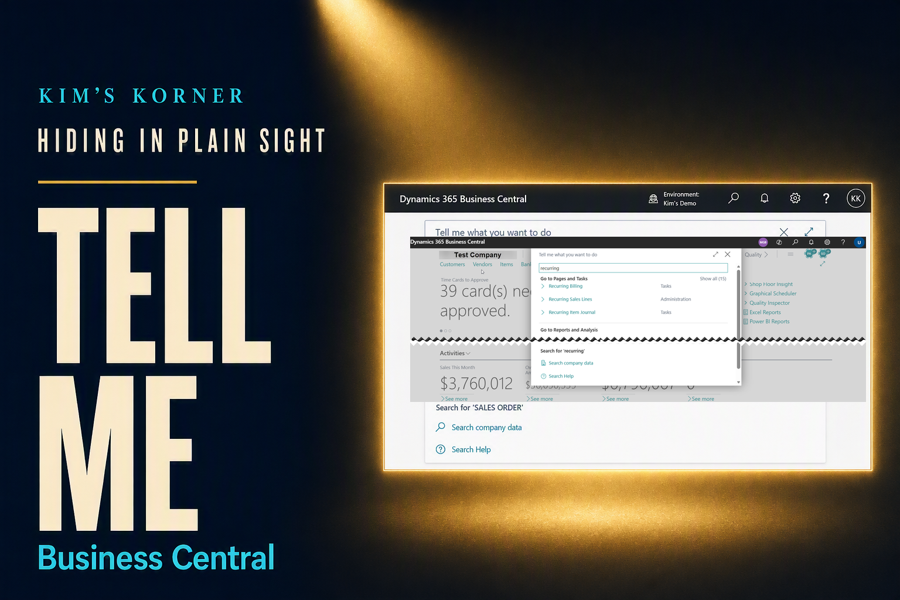
Tell Me is the magnifying glass in the top right of the application, and it opens with Alt+Q from anywhere. Type what you are looking for and it searches the pages, the actions, the reports, and the documentation, all at once.
The important part is what it searches. It is not matching menu labels. It finds actions available on the page you are standing on, pages you have permission to open, reports you can run, and Microsoft’s own help articles, then sorts them into groups so you can tell which is which.
When you search, you get back:
- Pages and tasks you can open directly, listed by name
- Actions available on the page you are currently viewing
- Reports and analysis you have permission to run
- Documentation from Microsoft Learn, without leaving the application
- Apps from AppSource, if you are looking for functionality you do not have yet
The other half: the Role Explorer
Tell Me answers the question when you know roughly what the thing is called. The Role Explorer answers the harder one: what is in here that I have never seen?
It opens the full navigation for your role as a single expandable outline, every page grouped by business area. Instead of hunting through menus one level at a time, you see the whole structure at once and can expand it to include everything in the application rather than just your role.
For a new user, twenty minutes in the Role Explorer teaches more about how Business Central is organized than any training deck I could build. For an experienced one, it is the fastest way to discover the pages nobody ever mentioned during implementation.
The support call that should never happen
Here is the scenario, and every consultant reading this has lived it. A user needs the page where you set up payment terms. They cannot remember whether it lives under Sales, under Finance, or somewhere in Setup.
The old path is a phone call and a guided tour of the menus. The short path is this:
- Press Alt+Q from wherever you happen to be.
- Type payment terms.
- Choose the page from the Go to Pages and Tasks group.
No call, no menu tour, and no need to know which department owns the page. That last point is the one worth dwelling on, because the departmental structure is exactly what confuses people who do not work in the system every day.
Why I teach this one first
It removes the memorization problem. Business Central has thousands of pages, and no reasonable person is going to learn where they all live. Search replaces recall, which is the same trade every one of us already made with our email.
It respects permissions automatically. Users only see what they are allowed to open, so nobody gets a result they cannot use, and nobody has to be told which parts of the menu to ignore.
It finds actions, not just pages. This is the part that surprises experienced users. If you are standing on a posted invoice and cannot remember where a particular action lives on the ribbon, Tell Me will find it on the page you are already on.
It reduces the support burden immediately. Where did this page go is one of the most common questions any support desk receives, and it is entirely self-serviceable. Teaching Alt+Q during onboarding pays for itself within the first month.
Where I use it most
Onboarding is the first place. Every new user gets Alt+Q on day one, before any discussion of navigation, because it makes the rest of the training less about memorization and more about the work.
Setup pages come next. These are the pages people visit rarely and forget completely, and they are scattered across the application by design. Searching for them is simply faster than knowing where they live.
I also use the Role Explorer as a discovery exercise with clients who suspect they are underusing the system. Expanding the full outline and reading through it produces a list of pages nobody knew existed, and that list is often where the next round of value comes from.
Kim’s Quick Tip
Teach Alt+Q on day one, before you teach navigation. A user who can search does not need to memorize the menu, and they will stop calling you to ask where things are.
Final thoughts
Tell Me is the feature people are most embarrassed to admit they were not using. It sits in plain view at the top of every page, it has an obvious icon, and somehow it still goes unnoticed for years at a time.
I think that is because it looks like it searches records rather than the application. Users see a magnifying glass, assume it will find customers, and never discover that it finds the page where customers are set up.
Which is a fair reminder for anyone who trains on this product, myself included. The features that go unused are not always the hidden ones. Sometimes they are the ones sitting in the most obvious spot on the screen, quietly being misunderstood.
How long did you use Business Central before you discovered Alt+Q?
#BusinessCentral #MSDyn365BC #Dynamics365 #Accounting #ERP #MicrosoftMVP